
Download TidyMyMusic – Music Library Organizer, Duplicate Detector, Album Art Updater
Overview
TidyMyMusic is a dedicated music library management tool designed for audiophiles, DJs, and anyone who keeps a sizable collection of digital tracks. In an era where streaming dominates, many users still maintain extensive offline libraries for offline listening, high‑resolution audio, or personal archiving. Over time, those collections can become chaotic—missing metadata, inconsistent album art, duplicate files, and poorly organized folder structures are common pain points. TidyMyMusic tackles these issues head‑on by providing an all‑in‑one, secure solution that automatically updates song information, embeds high‑quality cover art, and reorganizes files according to user‑defined rules. The app works on Windows, macOS, Linux, Android, and iOS, making it a truly cross‑platform software choice for anyone who values a tidy, searchable music library.
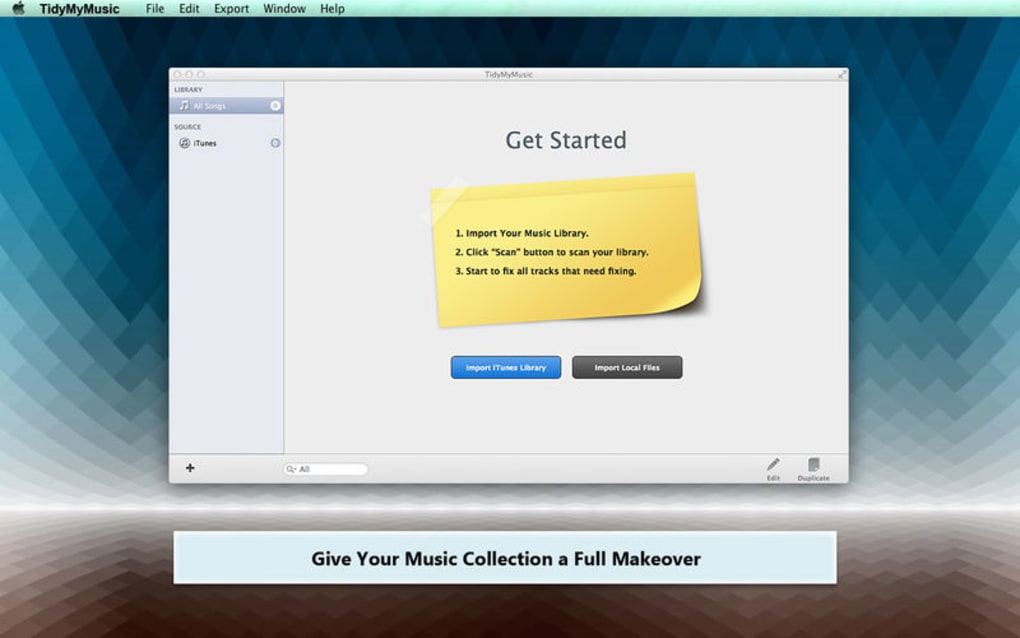
The core philosophy behind TidyMyMusic is simplicity without sacrificing power. After a quick download, the interface greets you with a clean dashboard that displays the total number of tracks, duplicate count, and any missing metadata. From there, you can launch a full‑library scan, set up automated folder structures (e.g., Artist/Album/Track), or run a one‑click duplicate purge. Because the app pulls data from multiple online databases—including MusicBrainz, Discogs, and iTunes—the updates are reliable and reflect the most current releases. Whether you have a modest collection of a few hundred songs or a massive archive of tens of thousands, TidyMyMusic scales effortlessly.
Security and privacy are also baked into the design. All metadata queries happen over encrypted HTTPS connections, and no personal data is stored on external servers. The free version provides essential features, while a premium tier unlocks batch processing, advanced tagging rules, and priority support. In the sections that follow, we’ll explore the standout features, walk through installation on various operating systems, and examine the pros and cons that real users have reported.
Core Features and How They Work
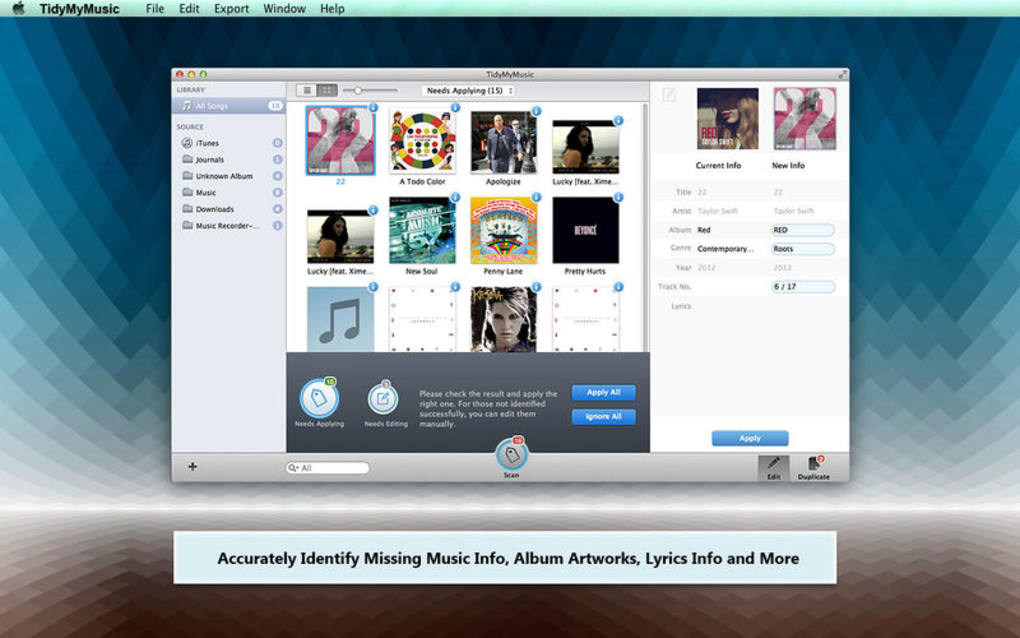
- Automatic Metadata Update: Scans each audio file and fetches missing or outdated tags (artist, album, year, genre) from reliable online databases.
- High‑Resolution Album Art Embedding: Retrieves 600 × 600 px or larger cover images and embeds them directly into the file, eliminating the need for external image folders.
- Duplicate Detection Engine: Uses acoustic fingerprinting and file‑hash comparison to spot exact and near‑duplicate tracks, even when filenames differ.
- Customizable File Organization: Auto‑moves songs into user‑defined folder structures (e.g., /Artist/Album/Track) and renames files based on tag templates.
- Batch Processing & Scheduling: Set up recurring scans or process large batches in the background without interrupting playback.
- Cross‑Platform Compatibility: Native apps for Windows 10/11, macOS 10.15+, Linux (AppImage/Deb), Android 8+, and iOS 13+.
- Secure Cloud‑Free Operation: All processing happens locally; no music files are uploaded to external servers.
- Integration with Popular Players: Detects libraries from iTunes, Windows Media Player, VLC, and Spotify’s local files.
Each feature is designed to be intuitive. For instance, the Automatic Metadata Update runs a background lookup that respects your language preferences and can be limited to specific genres to avoid mismatches. The Duplicate Detection Engine provides a visual preview, letting you decide whether to keep the higher‑quality version based on bitrate or file size. The Customizable File Organization supports placeholders like %artist%, %album%, and %tracknumber%, giving you granular control over how your collection appears on disk.
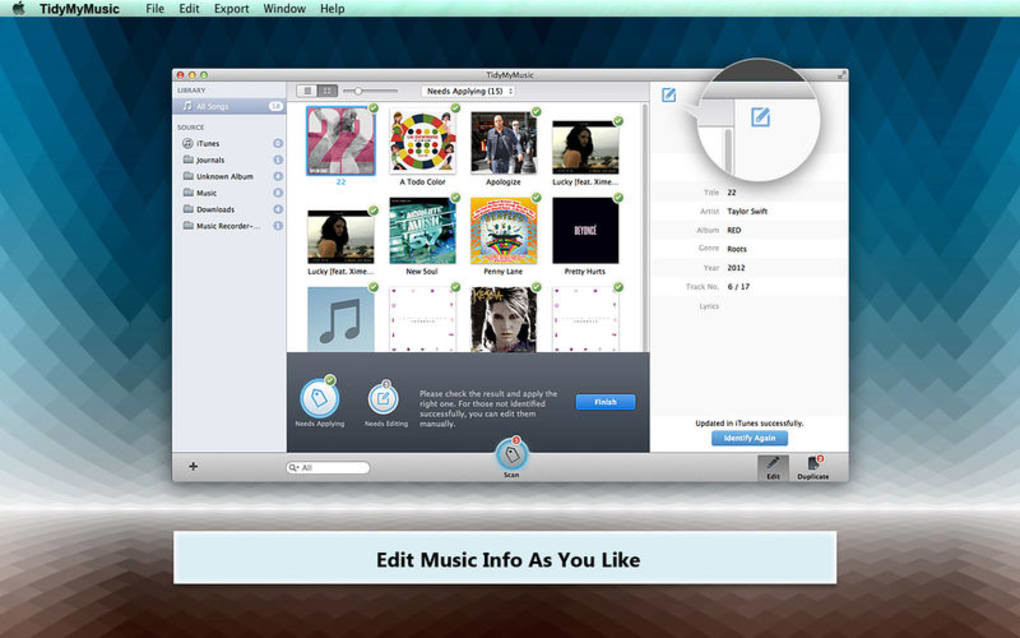
The application also includes a “preview mode” that lets you see all changes before they are written, ensuring that no unwanted edits slip through. If you’re a DJ who needs consistent naming for cue points, the batch rename feature can add custom tags such as “Cue‑In” or “EnergyLevel”. Moreover, the premium tier adds a “smart playlist” generator that creates genre‑ or mood‑based playlists on the fly, leveraging the newly updated metadata.
Overall, TidyMyMusic blends the power of professional music‑library tools with a user‑friendly interface, making it an ideal app for both casual listeners and power users who demand a clean, searchable collection.
Installation, Setup, and Cross‑Platform Compatibility
Step‑by‑Step Installation Guide
Windows (10/11): Visit the official website, click the “Download for Windows” button, and run the .exe installer. Follow the wizard: accept the license agreement, choose the installation folder (default is C:\Program Files\TidyMyMusic), and click “Install”. After installation, launch the app from the Start menu. The first run will prompt you to grant file‑system access, which is required for scanning and moving files.
macOS (10.15+): Download the .dmg file, open it, and drag the TidyMyMusic icon into the Applications folder. Launch the app, and macOS will ask for permission to access your Music folder; click “Allow”. The app will automatically create a background service that can monitor changes in real time.
Linux: Choose the appropriate package for your distribution. For Debian/Ubuntu, download the .deb and install via sudo dpkg -i tidymymusic.deb. For other distros, use the universal AppImage: make it executable with chmod +x tidymymusic.AppImage and run it. Dependencies are bundled, so no extra libraries are needed.
Android: Open the Google Play Store, search for “TidyMyMusic”, and tap “Install”. The app requests storage permission to read and write music files. Once installed, you can point it to any folder on internal or external storage.
iOS: Available on the App Store. After installation, grant access to your “Files” app or iCloud Drive where your music resides. The iOS version works with Apple Music’s local files and supports the same metadata update engine as desktop versions.
Supported Operating Systems
TidyMyMusic runs on the following platforms:
- Windows 10, Windows 11 (64‑bit)
- macOS Catalina (10.15) and later
- Linux (Ubuntu, Debian, Fedora, Arch – via AppImage or native packages)
- Android 8.0 (Oreo) and later
- iOS 13 and later
The developers maintain a regular update schedule, typically releasing minor patches every two weeks and major feature updates quarterly. All updates are signed and delivered over a secure HTTPS channel, ensuring that the download remains safe and free from tampering.
Pros, Cons, and Frequently Asked Questions
Pros
- Highly accurate metadata and album‑art retrieval from multiple databases.
- Powerful duplicate detection using acoustic fingerprinting.
- Fully customizable file‑organization templates.
- Cross‑platform support – Windows, macOS, Linux, Android, iOS.
- All processing is local; no cloud upload of music files.
- Free version available with essential features.
Cons
- Advanced batch processing is locked behind the premium subscription.
- Initial library scan on very large collections (50k+ tracks) may take several minutes.
- No built‑in music player – you must use an external player.
- Limited support for obscure file formats (e.g., .ape, .wv) in the free tier.
Frequently Asked Questions
Is TidyMyMusic completely free?
TidyMyMusic offers a fully functional free version that includes metadata updating, album‑art embedding, and basic duplicate detection. Premium features such as batch processing, advanced tagging rules, and priority support require a paid subscription.
Can TidyMyMusic edit tags for FLAC and ALAC files?
Yes. The application supports lossless formats including FLAC, ALAC, and WAV. Tag updates and album‑art embedding are performed without re‑encoding, preserving audio quality.
How does the duplicate detection work?
TidyMyMusic generates an acoustic fingerprint for each track and compares it against a database of known fingerprints. It also checks file hashes (MD5/SHA‑1) to catch exact copies. Users can preview duplicates and choose which version to keep based on bitrate, file size, or tag completeness.
Is my music data sent to any server?
No. All metadata lookups are performed via secure HTTPS queries to external databases, but the actual audio files never leave your device. The app stores only temporary cache data for faster subsequent lookups.
Can I schedule automatic scans?
Yes. Both desktop and mobile versions allow you to set up recurring scans (daily, weekly, or monthly). The scheduled task runs in the background and notifies you when new updates or duplicates are found.
Review Summary: TidyMyMusic delivers a comprehensive, secure, and user‑friendly solution for anyone looking to keep their digital music collection organized. The free tier is generous, while the premium add‑ons provide enough extra power to justify the cost for large libraries.
Conclusion & Call to Action
In a world where music streaming services dominate, maintaining a personal collection still matters to many enthusiasts. TidyMyMusic stands out as a robust, cross‑platform software that addresses the most common pain points—missing metadata, scattered album art, and duplicate clutter—without compromising privacy. Its intuitive interface, coupled with powerful batch processing and customizable organization rules, makes it suitable for both beginners and seasoned audiophiles.
If you’re looking for a free, secure way to download an app that will keep your library tidy and up‑to‑date, TidyMyMusic is a top choice. The premium subscription is reasonably priced and unlocks features that large collectors will appreciate, such as advanced duplicate merging and automated scheduled scans.
Ready to give your music library the makeover it deserves? Click here to download TidyMyMusic now and experience a cleaner, more enjoyable listening experience across Windows, Mac, Android, iOS, and Linux.







